

For site owners
Add Binderim to your site
With a single line of code, set details, card count, release date and the most valuable cards appear on your page by themselves.
Free for every Binderim account. No API plan needed.
Set widget
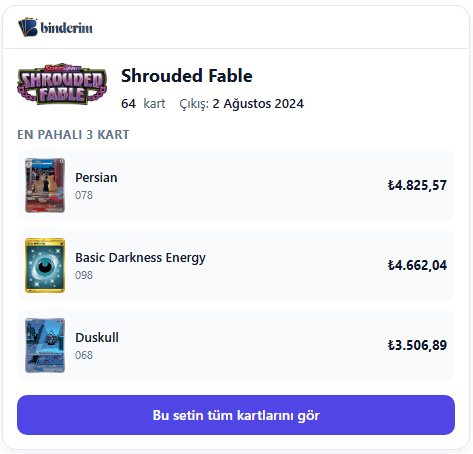
The Pokémon TCG set named in your page title is recognised automatically. When there is a match, a neat box with the Binderim logo and the set details appears. When there is no match, nothing shows up on your page.
- Set name, card count and release date
- The 3 most valuable cards: normal variant prices and daily change
- Prices are shown in TRY, converted at the daily exchange rate
- Light and dark theme: adapts to your site
- Mobile friendly, responsive design
- Isolated with Shadow DOM: it never touches your site's CSS
How does it work?
Paste the code
Create a widget and paste the single line of code you get into the HTML of the page where you want it to appear.
Automatic matching
When the code runs it reads the page title, recognises the set name in it and draws the matching widget.
See the stats
How many views, how many clicks? The numbers are right here, under each widget.
Example code
When you create a widget, a unique id (data-id) is generated for you. The code looks like this:
<script src="https://binderim.com/embed/v1.js" data-id="ABCDEFGHJKLMNPQRSTUV" async></script>The code loads asynchronously and does not slow your site down. It only draws something when a Binderim set is recognised in the page title. Codes you already have keep working unchanged.
Your widgets
Sign in to create a widget
Sign in with your Binderim account to create widgets and see their stats. You do not need a verified e-mail or an API plan.
Sign in